Free · No subscription · No ads

Walk more,
together.

Olowo Walk counts your steps automatically, keeps your streak alive and lets you race your friends, family and colleagues on daily, weekly and monthly leaderboards.

Download forAndroid (APK) Coming soon toApp Store Pending

Android 8.0 or newer. Not on Google Play yet — see how to install the APK.

100% freeNo paywalls
AutomaticCounts in the background
15,000People per challenge
🇳🇬 NigeriaNational leaderboard

Everything you need to keep moving

Built for walkers, run clubs, offices, estates, churches, mosques and families — anyone who wants a little friendly competition.

Automatic step tracking

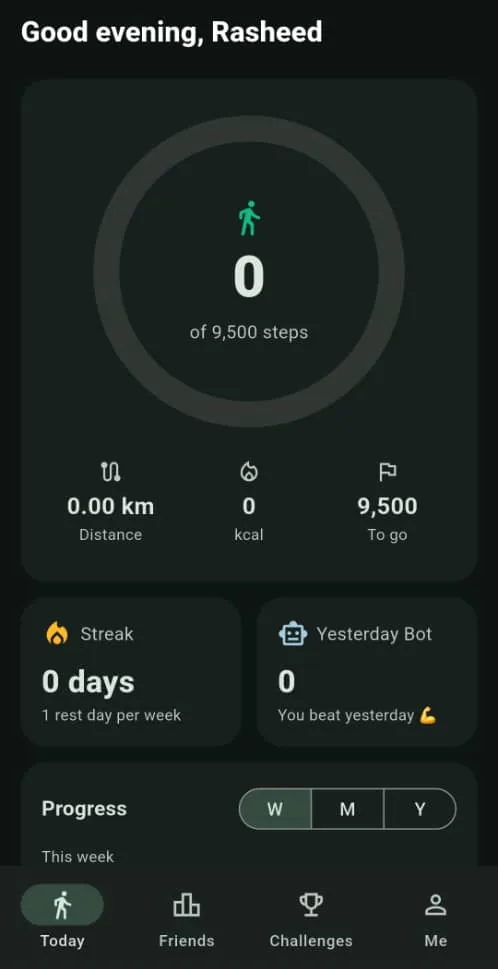
Uses your phone's built-in step sensor. Steps, distance and calories — even when the app is closed.

Streaks with rest days

Hit your daily goal to build a streak. Miss one day a week? A rest day keeps your streak alive.

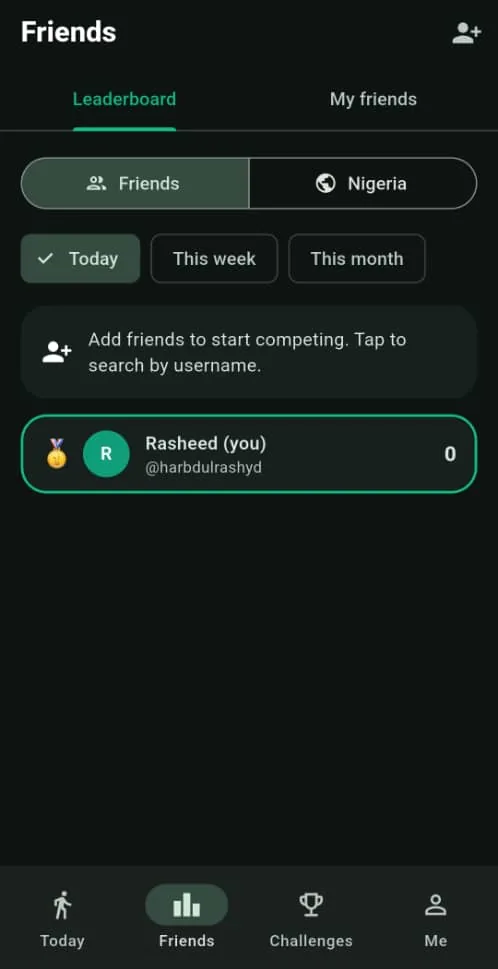
Friends leaderboards

See who's walking the most today, this week and this month. Cheer, taunt or nudge each other.

Step challenges

Create a private challenge, share the invite code and race up to 15,000 people. Mystery Mode hides today's counts until tomorrow.

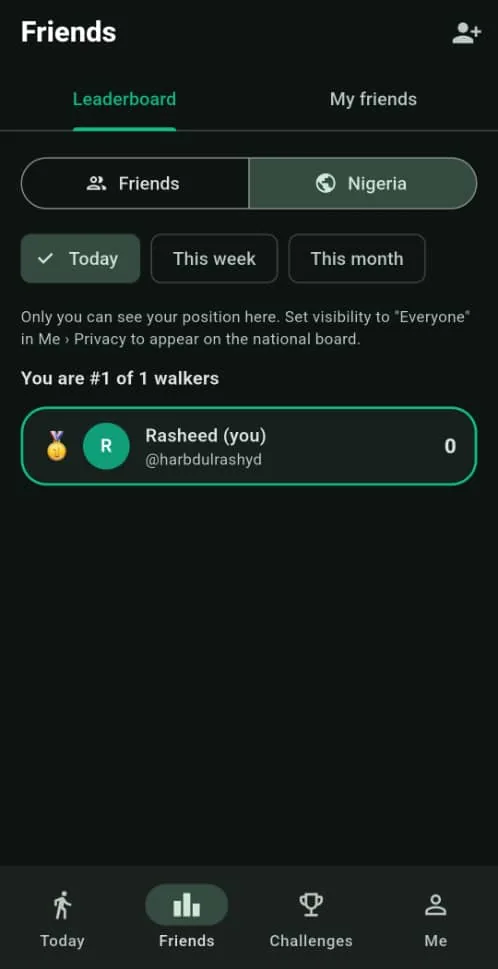
Nigeria leaderboard

Opt in to see how you rank against walkers across the country.

You control your privacy

Share your steps with everyone, friends only, or no one. Delete your account any time from the app.
See it in action

Real screens from the Android app.

Today screen showing steps, distance, calories, streak and Yesterday Bot
Your day at a glance
Friends leaderboard
Friends leaderboard
Nigeria leaderboard
Nigeria leaderboard

How to install on Android

Olowo Walk isn't on Google Play yet, so you install it directly. It takes about a minute.

  1. Tap Download for Android on this page on your phone. Your browser saves OlowoWalk.apk.
  2. Open the downloaded file from your notifications or the Files app.
  3. If Android asks, tap Settings and turn on Allow from this source, then go back.
  4. Tap Install. If Play Protect says the app is unrecognised, tap More details › Install anyway.
  5. Open Olowo Walk, set your daily goal and allow Physical activity so it can count your steps.

Good to know

  • Samsung phones: if the install is blocked, turn off Auto Blocker in Settings › Security and privacy.
  • Tecno, Infinix, Xiaomi and others: set Olowo Walk's battery usage to Unrestricted so steps keep counting in the background.
  • Updating: download the latest APK from this page and install it over the old one — your steps and account stay.
  • iPhone: the iOS version is pending. Check back on this page.

Ready to step up?

Download Olowo Walk and invite your friends.

Download forAndroid (APK) Coming soon toApp Store Pending